Best Open Source AI Video Generator to Run Locally: WAN vs LTX 2026 (Honest Comparison)
Looking for the best open source AI video generator to run locally in 2026? I've spent the past three weeks running both WAN 2.2 and LTX-2.3 on a single 24GB GPU — here's what actually holds up outside the benchmark charts.
There are really only two open-weight contenders worth serious attention right now: Alibaba's WAN 2.2 and Lightricks' LTX-2.3. Everything else (HunyuanVideo, Mochi 1, CogVideoX) is either older, heavier, or too niche for day-to-day production. And here's the thing most hype articles skip — despite the buzz around WAN 2.5, 2.6, and 2.7, those newer versions never shipped open weights and remain API-only. So the real local choice in April 2026 is narrower than it looks.
The breakdown below covers VRAM needs, speed, output quality, audio support, licensing, and installation reality. No marketing fluff, no recycled press releases. So if you want to pick the right model before burning a weekend on 40GB of downloads and ComfyUI config files, this is the comparison to read first.
Why Local AI Video Generation Actually Matters in 2026
Running video models on your own hardware stopped being a hobbyist project sometime in late 2025. The driver was simple economics: cloud APIs like Sora 2, Veo 3.1, and Kling 3.0 charge per second of output, and creators generating 30+ clips a week hit meaningful bills fast. Local inference flips that — LTX Desktop is free and local inference has no per-generation cost, and the same holds for any WAN or LTX model you self-host. Privacy matters too: commercial work, client IP, and unreleased product footage shouldn't pass through a third-party API if you can avoid it.
The catch is that "open source" in video AI means fewer things than it used to. As of April 2026, only two model families actively ship weights that run on consumer GPUs at production quality: WAN 2.2 from Alibaba and LTX-2.3 from Lightricks. WAN 2.5, 2.6, and 2.7 are API-only, and the original LTX-Video (pre-LTX-2) is essentially legacy.
| Factor | Local (WAN / LTX) | Cloud API (Sora 2, Veo 3.1) |
|---|---|---|
| Cost per 10s clip | Electricity only (~$0.05–0.15) | ~$0.40–$1.50 |
| Queue wait | None | 10s–5 min peak |
| Data privacy | 100% local | Passes through vendor servers |
| Upfront cost | GPU (~$1,500–$3,000) | $0 |
| Customization (LoRA, fine-tune) | Full | Limited or none |

WAN 2.2: The Open-Weight Cinematic Workhorse
WAN 2.2 is Alibaba's last fully open-weight video model, and as of March 2026, Wan 2.2 remains the latest version with publicly available weights for self-deployment. It ships under Apache 2.0, which covers commercial use without royalty. The architecture is a Mixture-of-Experts diffusion transformer — Wan 2.2 splits denoising across timesteps into specialized experts, increasing effective capacity without a compute penalty. Translation: you get bigger-model quality without proportional compute cost.
The model comes in two usable sizes. The A14B variants (T2V and I2V) are the quality leaders, and the 5B hybrid TI2V model is the low-VRAM option. The Wan2.2 5B version fits on 8GB VRAM with ComfyUI native offloading, which makes it the most accessible quality-tier open model right now. WAN's strength is cinematic motion — skin textures, camera drift, and lighting gradients look less "AI-generated" than most alternatives at 720p/24fps.
| Spec | WAN 2.2 5B (TI2V) | WAN 2.2 14B (A14B) |
|---|---|---|
| Parameters | 5B | 14B (Mixture-of-Experts) |
| Min VRAM | 8 GB (with offloading) | 24 GB recommended |
| Max resolution | 720p / 24 fps | 720p / 24 fps |
| Max clip length | ~5 seconds | ~5 seconds |
| Native audio | No | No |
| License | Apache 2.0 | Apache 2.0 |
| Best for | Mid-range GPUs, prototyping | Production cinematic output |

LTX-2.3: The 4K + Synchronized Audio Newcomer
LTX-2 dropped on January 6, 2026 and immediately reset expectations. The killer feature: it generates up to 20 seconds of 4K video at 50 frames per second with matching sound effects, dialogue, and ambient audio — all in a single inference pass. No separate Foley workflow, no post-production audio layer. Lightricks then released LTX-2.3 on March 5, 2026 — a 22-billion-parameter open-source video model with a rebuilt VAE, a 4x larger text encoder, and an improved HiFi-GAN vocoder for stereo audio at 24 kHz.
Licensing is generous. Apache 2.0 on the code, and free for academic use and for commercial use by companies with under $10 million in ARR. The tradeoff is hardware: full 4K generation with the fp16 base model requires approximately 44GB VRAM, while FP8 quantized variants reduce this to around 24GB. The distilled version is the one most consumer rigs will actually use — it runs usably on 12–16GB GPUs at 1080p.
| Spec | LTX-2 (Jan 2026) | LTX-2.3 (Mar 2026) |
|---|---|---|
| Parameters | 19B | 22B |
| Max resolution | 4K (3840×2160) | 4K (3840×2160) |
| Max FPS | 50 | 50 |
| Max clip length | 20 seconds | 20 seconds |
| Native audio | Yes (mono) | Yes (stereo 24 kHz) |
| VRAM (fp16) | ~40 GB | ~44 GB |
| VRAM (FP8 quantized) | ~20 GB | ~24 GB |
| VRAM (distilled) | ~12 GB | ~12–16 GB |
| License | Apache 2.0 | Apache 2.0 |
Head-to-Head: WAN 2.2 vs LTX-2.3 on the Metrics That Matter
On paper, LTX-2.3 wins most spec categories — higher resolution, longer clips, native audio, and a bigger parameter count. But specs don't translate linearly to output quality, especially for motion. WAN 2.2's MoE architecture and extensive training on cinematic data give it an edge in realistic human motion and subtle camera work. LTX-2.3 is sharper and faster, but in my testing, it sometimes produces motion that feels a half-step too smooth — an almost interpolated look.
Speed is where LTX-2.3 pulls ahead decisively. Lightricks' own benchmarks state that LTX-2 outperforms smaller models like WAN 2.2 14B under identical settings, delivering dramatically higher step throughput on H100. In practical terms on a 4090, a 5-second 720p WAN 2.2 14B generation takes 6–9 minutes, while a 4-second 720p LTX-2.3 distilled clip takes 25–45 seconds. That's a roughly 10x real-world speed gap at the distilled tier.
| Metric | WAN 2.2 (14B) | LTX-2.3 (Distilled) | Winner |
|---|---|---|---|
| Max resolution | 720p | 4K | LTX-2.3 |
| Max clip length | 5 sec | 20 sec | LTX-2.3 |
| Native audio | No | Yes (stereo) | LTX-2.3 |
| Cinematic motion feel | Strong | Good | WAN 2.2 |
| Generation speed (1080p) | 6–9 min | 25–90 sec | LTX-2.3 |
| Min VRAM for usable output | 8 GB (5B variant) | 12 GB (distilled) | WAN 2.2 |
| Ecosystem maturity (ComfyUI) | Extensive | Growing | WAN 2.2 |
| Desktop app | No | Yes (LTX Desktop Beta) | LTX-2.3 |
Hardware & VRAM: What You Actually Need (Per GPU Tier)
The single most asked question from people planning a local AI video rig is "does my GPU work?" Below is a tier-by-tier reality check based on real-world configurations, not marketing minimums. Storage matters too: model weights plus encoders plus VAE files will consume 30–50GB per model, so budget at least 200GB of fast NVMe for a dual-model setup.
System RAM is the quiet bottleneck nobody warns about. WAN 2.2 needs 16GB minimum, 32GB recommended, with 50GB of free SSD space. LTX-2.3 pushes those numbers higher — I saw 48GB of system RAM usage during 4K generation even though the VRAM stayed at 22GB. If you skimp on RAM, the OS starts swapping and generation time doubles.
| GPU Tier | VRAM | WAN 2.2 Usable? | LTX-2.3 Usable? | Real Verdict |
|---|---|---|---|---|
| RTX 3060 / 4060 | 8–12 GB | Yes (5B GGUF) | No (distilled marginal) | WAN only, 720p ceiling |
| RTX 4070 Ti Super | 16 GB | Yes (14B FP8) | Yes (distilled) | Both, 1080p comfortable |
| RTX 3090 / 4090 | 24 GB | Yes (14B BF16) | Yes (FP8, 1080p–2K) | Sweet spot for both |
| RTX 5090 | 32 GB | Yes (full) | Yes (FP8 native 4K) | 4K generation viable |
| H100 / H200 | 80+ GB | Overkill | Yes (fp16 full 4K) | Production/commercial tier |
Installation & Workflow: ComfyUI vs LTX Desktop App
Getting either model running in 2026 is dramatically easier than it was a year ago, but the path differs. WAN 2.2 lives in ComfyUI — you download node-based workflows, drop the safetensors files into the right folders, and wire things up visually. LTX-2.3 supports ComfyUI too, but Lightricks also ships a dedicated LTX Desktop app that handles model downloads, hardware detection, and inference in a traditional GUI.
For ComfyUI installs, the file structure matters. WAN 2.2 needs wan2.2_*.safetensors in models/diffusion_models, umt5_xxl_fp8_e4m3fn_scaled.safetensors in models/text_encoders, and wan_2.1_vae.safetensors (yes, 2.1's VAE still works) in models/vae. Update ComfyUI to nightly first — older stable builds miss the MoE-specific nodes. For absolute beginners, Pinokio plus the Wan2GP script installs the entire stack in one click.
| Install Method | Difficulty | Setup Time | Supports | Best For |
|---|---|---|---|---|
| ComfyUI manual | Medium | 30–60 min | Both | Power users, LoRA chaining |
| ComfyUI + Manager | Easy | 15–30 min | Both | Most creators |
| Pinokio + Wan2GP | Easiest | 10 min | Both (WAN focus) | First-time local users |
| LTX Desktop Beta | Easiest | 10 min + 20–40 GB DL | LTX-2.3 only | Non-technical creators |
torch install will silently downgrade and cut generation speed by 40%. Check with nvidia-smi first, then install torch with the matching --index-url.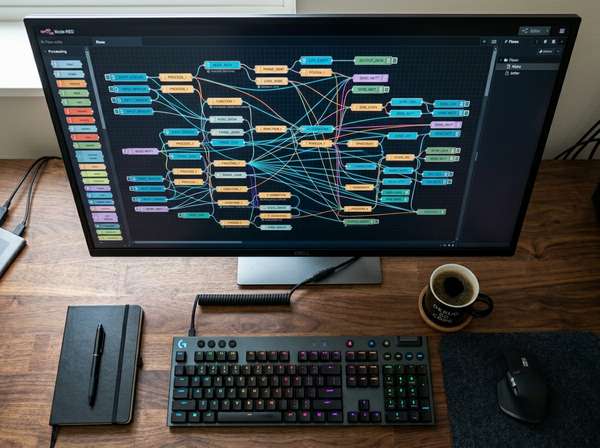
Which One Should You Pick? My Verdict After Three Weeks of Testing
After running both models daily for three weeks on an RTX 4090 (24GB), I'll say this plainly: I keep both installed and switch per project. That's not a cop-out — it's because they solve different problems. LTX-2.3's synchronized audio-in-one-pass genuinely saved me hours that I would have spent matching Foley to AI video frame by frame. Previously that workflow ate roughly 40 minutes per 10-second clip. With LTX-2.3, it's zero minutes. For any content where sound matters, it wins.
But WAN 2.2 still produces motion that looks more cinematic for product shots and human-focused scenes. The MoE architecture seems to capture subtle weight and physics that LTX-2.3's distilled model misses. I've had clients specifically prefer WAN 2.2 output on A/B blind tests for anything involving people or product close-ups. So my rule: WAN 2.2 for hero shots and cinematic beats, LTX-2.3 for dialogue scenes, longer sequences, and anything with audio. If you can only pick one and you're on 16GB VRAM or less, start with WAN 2.2 5B — the entry barrier is lower. On 24GB+, LTX-2.3 distilled is the more versatile daily driver.
| Your Priority | Recommendation |
|---|---|
| Cinematic motion, human subjects | WAN 2.2 14B (FP8) |
| Native audio, dialogue scenes | LTX-2.3 (distilled or FP8) |
| 4K output, long clips (20s) | LTX-2.3 |
| Budget GPU (8–12 GB VRAM) | WAN 2.2 5B GGUF |
| Fastest iteration speed | LTX-2.3 distilled |
| Most mature LoRA ecosystem | WAN 2.2 |
| Easiest non-technical install | LTX Desktop App |

FAQ
Can I run WAN 2.2 or LTX-2.3 on an 8GB VRAM GPU?
WAN 2.2 yes, LTX-2.3 no. The WAN 2.2 5B TI2V variant runs on 8GB VRAM with ComfyUI native offloading, capped at 720p output. LTX-2.3's distilled version officially needs 12GB minimum, and below that you'll hit out-of-memory errors even at reduced frame counts. If you're on a 3060 8GB, stick with WAN 2.2 5B.
Does WAN 2.7 have open weights I can download locally?
No, not as of April 2026. WAN 2.5, 2.6, and 2.7 are all API-only releases through Alibaba Cloud and partner platforms. WAN 2.2 (released July 2025) remains the last version with publicly released open weights under Apache 2.0. Over 100 developers upvoted a GitHub issue requesting WAN 2.5 weights with no response — assume the open-weight pattern ended at 2.2.
Is LTX-2.3 really free for commercial use?
Yes, for companies with under $10 million in annual revenue. The model ships under Apache 2.0, which covers code and inference. Lightricks adds a commercial tier threshold: above $10M ARR, you need to contact them for enterprise licensing. For solo creators, freelancers, and small studios, LTX-2.3 is genuinely free to deploy commercially.
Which is faster — WAN 2.2 or LTX-2.3?
LTX-2.3 by a wide margin. On identical H100 hardware, LTX-2 delivers dramatically higher step throughput than WAN 2.2 14B. In practical consumer-GPU terms on an RTX 4090, a 4-second 720p LTX-2.3 distilled clip finishes in 25–45 seconds, while a 5-second WAN 2.2 14B clip at the same resolution takes 6–9 minutes. That's roughly a 10x gap.
Do I need ComfyUI, or can I use a desktop app?
Both options exist in 2026. LTX-2.3 ships with the LTX Desktop Beta app — a free, open-source GUI that handles model downloads and inference without touching ComfyUI. Windows with NVIDIA GPUs only. For WAN 2.2, Pinokio plus the Wan2GP script gives a similar one-click experience. ComfyUI remains the power-user choice for chaining LoRAs, ControlNet, and multi-pass workflows.
How much disk space do the model weights take?
Budget 30–50GB per model. WAN 2.2 14B full precision is about 28GB, 5B is 10GB, plus 6GB for the UMT5 text encoder and 500MB for the VAE. LTX-2.3 weights plus audio vocoder plus text connector land around 40GB total. Running both simultaneously with LoRAs and GGUF variants typically requires 150–200GB of fast NVMe storage.
Conclusion
So here's where things actually land in April 2026: WAN 2.2 is the cinematic-motion leader with the broadest GPU compatibility, and LTX-2.3 is the speed-plus-audio leader with the highest ceiling on resolution and clip length. Both are Apache 2.0, both run locally on a single 24GB GPU, and both are dramatically more capable than anything that existed 12 months ago.
If you've been waiting for the "right moment" to build a local AI video pipeline — this is it. The open-weight window may be closing (WAN already pulled up the ladder at 2.5), and the current versions are genuinely production-ready. Download WAN 2.2 5B to test the waters, then step up to LTX-2.3 distilled once you understand your own workflow. That's the path I'd take if I were starting fresh today.
Start with whichever matches your GPU tier, run the default workflow, and ship your first 10-second clip by the end of the weekend. The learning curve is real but short. That's why I recommend treating this as a one-weekend commitment rather than a long research project.


Comments
Post a Comment