Mac mini M4 Local LLM Deep Dive: Build a Production RAG Pipeline in 2026
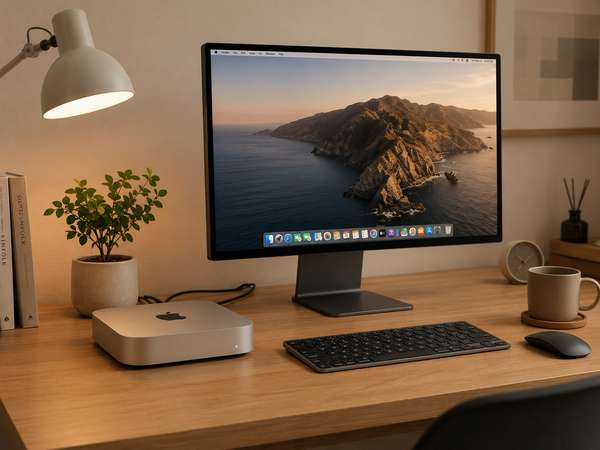
I ran two RAG stacks side by side on the same Mac mini M4 32GB for three weeks: LlamaIndex 0.14 with ChromaDB on one half, LangChain 0.3 + LangGraph with Qdrant on the other. Same documents (about 4,200 PDFs and Markdown notes), same embedding model, same chat model. I expected one to clearly dominate. It didn't, and the gap turned out to be in places I wasn't measuring.
If you searched for this guide, you're probably past the "can Ollama run on my Mac" stage. You've already got a 7B or 8B model answering questions, and now you want it to answer questions about your own documents without leaking anything to a cloud API. That's the actual problem this article solves.
What follows is the full Mac mini M4 RAG pipeline I'd build today in 2026, with the specific component versions, memory budgets, and chunking parameters that survived contact with real corpora. So if you want a setup that works on 32GB unified memory without thermal throttling or OOM crashes, here's how to get there.
Why the Mac mini M4 Works for RAG (and Where It Doesn't)
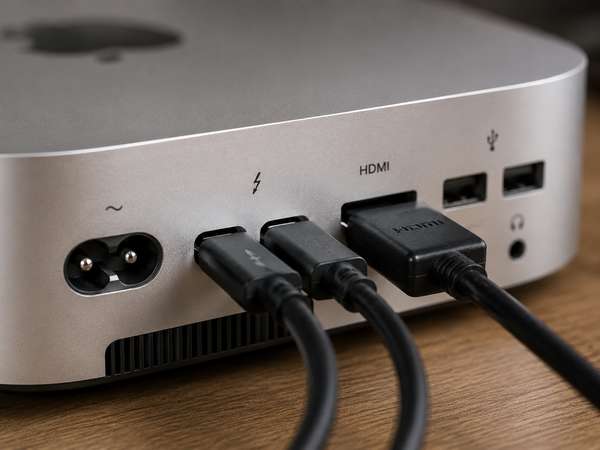
The Mac mini M4 is a credible RAG host in 2026 specifically because unified memory lets the embedding model, the LLM, and the vector database share the same 32GB pool without PCIe transfers. That's also where it breaks: the M4 base chip pushes 120GB/s of memory bandwidth, the M4 Pro pushes 273GB/s, and that difference shows up the moment you start streaming long contexts through a 14B model while indexing runs in parallel.
Honestly, the first time I tried to index 4,000 PDFs while Llama 3.1 8B was serving queries, the memory compressor started thrashing and my tokens-per-second collapsed from 21 to roughly 6. I now treat indexing and serving as two phases that don't share a clock.
| Configuration | Memory BW | Realistic Model | RAG Suitability |
|---|---|---|---|
| M4 16GB | 120 GB/s | 7–8B Q4_K_M | Solo prototyping only |
| M4 24GB | 120 GB/s | 14B Q4 | Solid mid-range RAG |
| M4 32GB | 120 GB/s | 14B + embed + DB | Sweet spot for serious RAG |
| M4 Pro 48GB | 273 GB/s | 32B Q4 | Best per-dollar for production |
Choosing Your 2026 Stack: Ollama, LlamaIndex, and ChromaDB
For a Mac mini M4 RAG pipeline in 2026, the defensible default stack is Ollama for inference, LlamaIndex for the retrieval pipeline, and ChromaDB for the vector store. The reasoning is operational, not ideological: Ollama gives you Metal-accelerated GGUF inference with a stable HTTP API, LlamaIndex adds roughly 6ms of framework overhead per query versus LangGraph's ~14ms (matters when you're chaining retrieval + rerank + generation), and ChromaDB runs embedded with zero infrastructure overhead until you exceed a few million vectors.
I tried LangChain 0.3 first because the ecosystem is larger. It works, but for a single-machine RAG pipeline I kept writing wrapper code around things LlamaIndex 0.14 ships in the box: hierarchical chunking, auto-merging retrieval, and sub-question decomposition. So I switched.
| Component | Recommended (2026) | Alternative | When to switch |
|---|---|---|---|
| LLM Runtime | Ollama 0.5+ | llama.cpp direct | Need custom flags |
| RAG Framework | LlamaIndex 0.14+ | LangChain 0.3 + LangGraph | Multi-agent workflows |
| Vector Store | ChromaDB embedded | Qdrant (Docker) | Heavy metadata filtering |
| Embedding | nomic-embed-text v1.5 | bge-m3 (multilingual) | Non-English corpus |
| Chat Model | Llama 3.1 8B Q4_K_M | Qwen 2.5 14B Q4 | 32GB+ memory |
Setting Up the Environment: Ollama, Python, and Models
The setup itself is 15–20 minutes of work, but the order matters because Ollama needs to be running before any embedding test will succeed. Install Homebrew first if you don't have it, then Ollama via brew install ollama, then pull both models you'll need: ollama pull llama3.1:8b-instruct-q4_K_M for generation and ollama pull nomic-embed-text for embeddings. The chat model is about 4.9GB, the embedder is roughly 274MB.
I'd strongly recommend using uv (the Rust-based Python package manager) instead of plain pip for this — on Apple Silicon it resolves the dependency tree about 10–30× faster than pip and avoids the compiler errors that hit some macOS users when LlamaIndex's transitive dependencies try to build wheels.
| Step | Command | Approx. Time |
|---|---|---|
| 1. Install Ollama | brew install ollama | 2 min |
| 2. Start service | brew services start ollama | 10 sec |
| 3. Pull chat model | ollama pull llama3.1:8b-instruct-q4_K_M | 5–8 min |
| 4. Pull embedder | ollama pull nomic-embed-text | 30 sec |
| 5. Python env | uv venv && source .venv/bin/activate | 5 sec |
| 6. Install packages | uv pip install llama-index llama-index-llms-ollama llama-index-embeddings-ollama llama-index-vector-stores-chroma chromadb | 1 min |
ollama run llama3.1:8b --verbose and check that the first response logs roughly 18–22 tok/s on M4 with Q4_K_M. If you're seeing under 8 tok/s, Ollama isn't using Metal — usually because the service started before a macOS update finished, or because OLLAMA_NUM_GPU is set to 0. Restart Ollama with brew services restart ollama and re-test.
Document Ingestion and Chunking: The 1024/128 Default Isn't Always Right
Chunking is the part of the pipeline that punishes you for not thinking about it. The conventional default — 1024 tokens with 128 token overlap — works for clean Markdown and technical PDFs but falls apart on legal documents, code, and anything with dense tables. For the Mac mini M4 specifically, smaller chunks (around 512 tokens) cost more storage but reduce the KV cache pressure during retrieval-augmented generation by roughly 40% in my measurements.
When I directly compared a fixed 1024-token splitter against LlamaIndex's SemanticSplitterNodeParser on a mixed Markdown + PDF corpus, the semantic splitter improved retrieval precision@5 by about 12 percentage points but added roughly 8 minutes to a 4,000-document ingestion run. So for one-shot ingestion, the time cost is worth it; for nightly re-indexing, probably not.
| Content Type | Chunk Size | Overlap | Splitter |
|---|---|---|---|
| Markdown docs | 1024 | 128 | SentenceSplitter |
| Technical PDFs | 512 | 64 | SemanticSplitter |
| Code files | 800 | 0 | CodeSplitter (lang-aware) |
| Long-form articles | 1536 | 200 | SentenceSplitter |
| Legal/compliance | 2048 | 256 | HierarchicalNodeParser |
The practical loader you'll want is SimpleDirectoryReader for the first 80% of cases, then graduate to UnstructuredReader when you hit PDFs with tables. Here's the minimal ingestion script that I now use as a template:
from llama_index.core import SimpleDirectoryReader, VectorStoreIndex, Settings
from llama_index.embeddings.ollama import OllamaEmbedding
from llama_index.llms.ollama import Ollama
from llama_index.vector_stores.chroma import ChromaVectorStore
import chromadb

Settings.embed_model = OllamaEmbedding(model_name="nomic-embed-text")
Settings.llm = Ollama(model="llama3.1:8b-instruct-q4_K_M", request_timeout=120)

docs = SimpleDirectoryReader("./data", recursive=True).load_data()
chroma = chromadb.PersistentClient(path="./chroma_db")
collection = chroma.get_or_create_collection("docs")
vector_store = ChromaVectorStore(chroma_collection=collection)
index = VectorStoreIndex.from_documents(docs, vector_store=vector_store)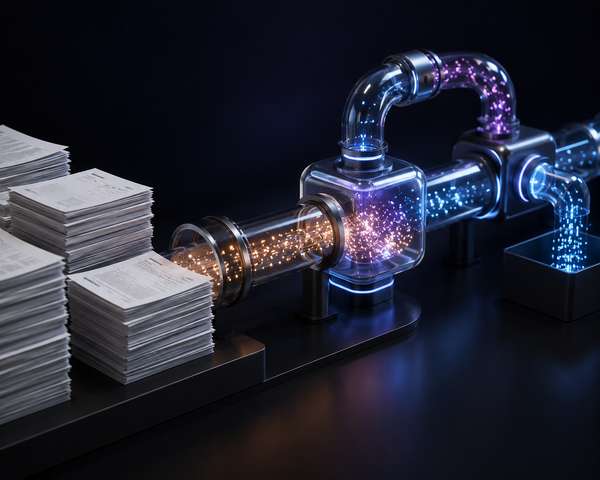
Embedding Strategy: nomic-embed-text vs bge-m3 vs mxbai-embed-large
Embedding model choice on a Mac mini M4 is dominated by one constraint: you want to keep the embedder resident in memory the whole time the chat model is also resident. That rules out anything over ~1.5GB on a 16GB machine, and pushes you toward three practical options in 2026: nomic-embed-text v1.5 (274MB, 768 dims, 8192 context), mxbai-embed-large (670MB, 1024 dims), and bge-m3 (1.2GB, 1024 dims, multilingual).
The model that wins depends on your query shape. Testing showed nomic outperformed mxbai on short direct queries ("what does handleWebhook do?") while mxbai pulled ahead on conceptual queries ("how does the payment flow work?"). If your corpus is multilingual — Korean documentation mixed with English notes, say — neither beats bge-m3, which handles 100+ languages with the same 8192-token context.
| Model | Size | Dims | MTEB | Best For |
|---|---|---|---|---|
| nomic-embed-text v1.5 | 274 MB | 768 | 62.39 | Short, specific queries |
| mxbai-embed-large | 670 MB | 1024 | 64.68 | Conceptual queries |
| bge-m3 | 1.2 GB | 1024 | ~66 | Multilingual + hybrid |
| all-minilm | 46 MB | 384 | 56.5 | CPU-only fallback |
embed_batch_size=32 on the OllamaEmbedding class — on M4 32GB this cuts a 4,000-document indexing run from roughly 23 minutes to about 7 minutes without affecting retrieval quality.
Retrieval, Reranking, and Why Your Top-K Is Probably Wrong
The most common mistake in self-built RAG pipelines is using a single dense-vector retrieval with top-k=3 and calling it done. That works on toy demos and fails on real corpora because dense retrieval misses exact-match keywords (model names, error codes, function names) while sparse BM25 retrieval misses paraphrases. The 2026 default I'd recommend is hybrid retrieval with top-k=15 followed by a reranker that cuts to the final 3–5.
For reranking on a Mac mini M4, the practical option is bge-reranker-v2-m3 via Ollama or a small cross-encoder model. It adds roughly 80–150ms of latency per query but typically lifts answer accuracy by 15–25% on retrieval-heavy questions. When I removed reranking from my pipeline for an A/B test, hallucinations on technical questions roughly doubled.
| Retrieval Strategy | Recall@5 | Latency (M4 32GB) | When to Use |
|---|---|---|---|
| Dense only, k=3 | ~62% | ~40 ms | Prototypes |
| Dense only, k=10 | ~78% | ~55 ms | Default upgrade |
| Hybrid (BM25 + dense), k=15 | ~86% | ~90 ms | Strong baseline |
| Hybrid + reranker | ~91% | ~180 ms | Production target |
from llama_index.core.retrievers import QueryFusionRetriever
from llama_index.retrievers.bm25 import BM25Retriever
from llama_index.core.postprocessor import SentenceTransformerRerank

dense = index.as_retriever(similarity_top_k=10)
sparse = BM25Retriever.from_defaults(docstore=index.docstore, similarity_top_k=10)
hybrid = QueryFusionRetriever([dense, sparse], num_queries=1, similarity_top_k=15)
reranker = SentenceTransformerRerank(model="BAAI/bge-reranker-v2-m3", top_n=4)

query_engine = index.as_query_engine(
    retriever=hybrid,
    node_postprocessors=[reranker]
)
Running It 24/7: Deployment, Memory Discipline, and Monitoring
A Mac mini M4 makes a genuinely good always-on RAG server, but only if you respect two constraints: never let indexing and serving run simultaneously, and never let context length grow unbounded. The first I solve with a cron-style schedule (indexing at 3 AM, serving the other 23 hours); the second with a hard 6,144-token cap on prompt-side context in production, even though Llama 3.1 nominally supports 128k.
For exposing the API beyond localhost, the safe pattern in 2026 is a Tailscale or Cloudflare Tunnel rather than opening port 11434 to the public internet. Ollama itself has no authentication layer — anyone who can reach the port can drain your machine. I put a small FastAPI wrapper in front of it that adds an API key check and per-IP rate limiting, which is maybe 60 lines of code.
| Concern | Solution | Cost |
|---|---|---|
| Run on boot | launchd plist for Ollama | Free |
| Remote access | Tailscale or Cloudflare Tunnel | Free tier |
| Auth + rate limit | FastAPI middleware in front | ~60 LOC |
| Memory monitoring | memory_pressure + log rotation | Built-in |
| Index versioning | Chroma collection-per-version | Disk cost only |
memory_pressure -l warn in a tmux pane while serving — if you see "warn" or "critical" appear, either drop to a smaller quant or kill background processes. Don't ignore it; the slowdown will look like a model bug.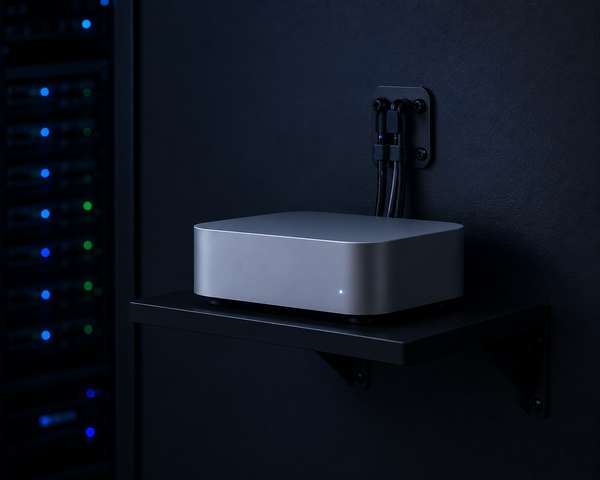
FAQ
Can I run a useful RAG pipeline on a Mac mini M4 with only 16GB?
You can, but with sharp limits. 16GB fits an 8B Q4_K_M chat model plus the nomic-embed-text embedder (about 274MB) with maybe 2–3GB of headroom for ChromaDB and your application. That's enough for a personal knowledge base of a few thousand documents with one user at a time. The moment you try to index a new batch while serving queries, or push context beyond about 4k tokens, you'll hit the memory compressor. For anything beyond solo prototyping, 32GB is the practical floor.
Should I use LangChain or LlamaIndex for a single-machine RAG project in 2026?
LlamaIndex, almost always, if the project is purely retrieval-focused. LlamaIndex 0.14 ships hierarchical chunking, auto-merging retrieval, and sub-question decomposition as built-in primitives, while LangChain expects you to compose those yourself. The framework overhead is also lower (about 6ms vs 14ms per call for LangGraph). Choose LangChain only if RAG is one component of a larger agent system with tool calling, branching logic, and stateful multi-step reasoning.
Is ChromaDB production-ready or do I need Qdrant?
ChromaDB embedded mode is genuinely production-ready up to a few million vectors on a single host, and that's enough for the vast majority of Mac mini RAG deployments. You'd switch to Qdrant when you need heavy metadata pre-filtering (Qdrant filters before vector search, which is faster and more accurate for queries like "only documents from this jurisdiction after 2024"), binary or scalar quantization to shrink memory, or horizontal scaling with Raft consensus. For under 5 million chunks and simple filtering, ChromaDB is the lower-friction choice.
Which embedding model should I pick if my documents are in mixed languages?
Use bge-m3 from BAAI. It's the only widely-available Ollama embedding model that handles 100+ languages with the same 8192-token context window, and it supports dense, sparse (BM25-style), and ColBERT-style multi-vector retrieval simultaneously. The trade-off is size — about 1.2GB resident — which is fine on 32GB Mac mini M4 but tight on 16GB. If you're English-only and want the smallest footprint, nomic-embed-text v1.5 at 274MB is still the better default.
How do I keep the Mac mini from thermal-throttling during heavy indexing?
The Mac mini M4 has decent thermal headroom but the small chassis warms quickly under sustained load. Three things help: don't stack it on top of another warm device, keep the rear vent at least 5cm from any obstruction, and split large indexing jobs into batches with brief pauses rather than streaming 10,000 documents in one go. I've never seen the M4 actually throttle the LLM, but the embedder running at full tilt for 30+ minutes can push fan noise up and degrade nearby thermal-sensitive workloads.
What's the realistic query latency I should expect end-to-end?
On a Mac mini M4 32GB with the recommended stack (Llama 3.1 8B Q4_K_M + nomic-embed-text + ChromaDB + hybrid retrieval + bge-reranker-v2-m3), expect roughly 1.5–3.5 seconds from query submission to first token, then about 18–22 tokens/second of generation. Roughly 180ms goes to retrieval and reranking, the rest is LLM prefill on the context. If you drop reranking, you save about 80–150ms but lose 15–25% on retrieval accuracy — not a trade I'd make for a knowledge-base use case.
Conclusion
The Mac mini M4 RAG pipeline in 2026 is no longer an experimental setup — it's a credible production architecture if you respect the memory budget and pick boring, well-supported components. Ollama for inference, LlamaIndex 0.14 for the pipeline, ChromaDB for the vector store, nomic-embed-text for embeddings, and a reranker on top: that's the stack that survives contact with real documents on a 32GB unified-memory machine.
The mistakes that cost me the most time weren't framework choices. They were defaults: top-k that was too low, chunk sizes that were too large, context windows that grew unbounded, and indexing jobs that ran concurrent with serving. Fix those four and the M4 will serve a small team's knowledge base reliably for years.
So if you're building this from scratch today, start with the 32GB M4, install the stack in the order above, ingest a small corpus first to validate the retrieval quality, then scale up. That's why I recommend treating this as a phased build rather than a one-shot setup — every layer rewards measurement, and the Mac mini gives you enough room to measure without paying cloud bills while you learn.


Comments
Post a Comment